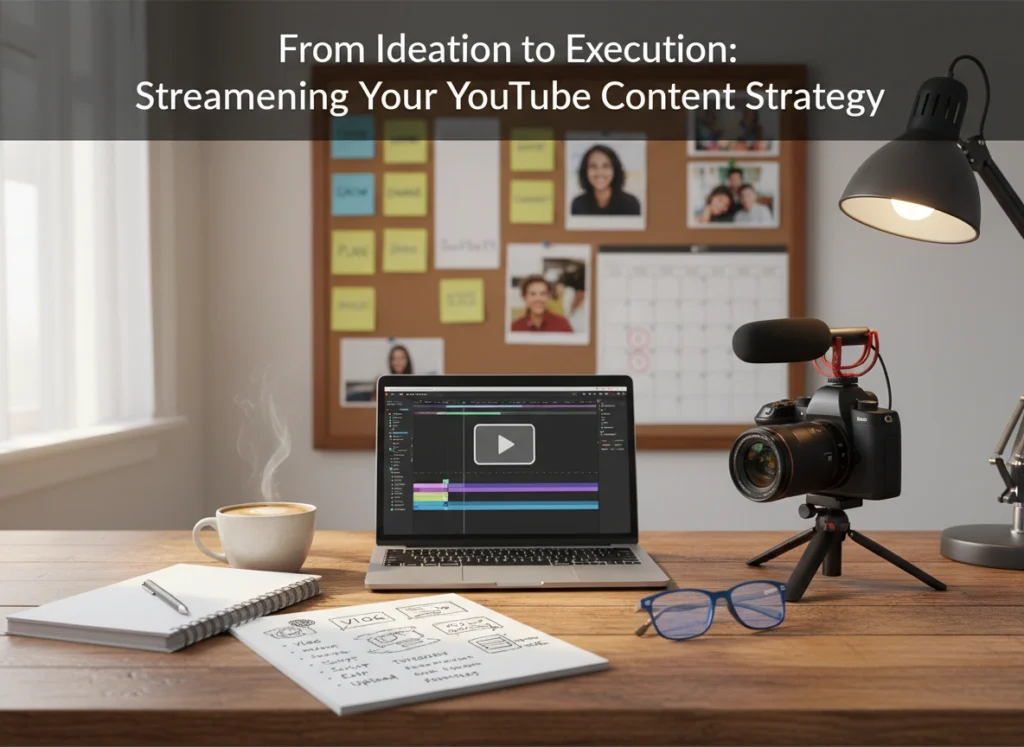
Uploading videos to YouTube is easy. Building a sustainable, growing channel is hard. The difference between a hobbyist who uploads sporadically and a successful creator usually comes down to one thing: a streamlined content strategy.
Without a plan, you might find yourself stuck on the "content treadmill"—constantly scrambling for ideas, filming last minute, and burning out before you see real results. A solid strategy bridges the gap between a fleeting idea and a published video that performs well. It turns chaos into a repeatable process.
This guide covers the entire lifecycle of YouTube content, from the moment a lightbulb goes off in your head to the deep-dive analysis you perform weeks after publishing. By streamlining these phases, you can produce better videos faster and with less stress.
Why You Need a Strategy, Not Just Good Ideas
Many creators believe that viral success is purely about having a "million-dollar idea." While great concepts matter, consistency and execution matter more. A strategy isn't just a calendar; it is a framework that aligns your creative output with your business or channel goals.
A clear strategy provides three major benefits:
- Efficiency: You stop wasting time wondering what to film next.
- Consistency: Algorithms and audiences reward reliability. When you have a pipeline, you never miss an upload.
- Audience Retention: Instead of throwing random topics at the wall, you build a library of content that serves a specific viewer avatar, encouraging binge-watching.
If you treat YouTube like a slot machine, you might get lucky once. If you treat it like a media production house, you build an asset that grows over time.
Phase 1: The Idea Engine – Generating Concepts That Click
The "blank page" problem is real. Staring at an empty upload queue can be paralyzing. To streamline ideation, you need to move from waiting for inspiration to actively mining for it.
Analyze the "Content Gaps"
Start by looking at what isn't being said. Search for topics in your niche and look at the top-performing videos. Read the comments. Are viewers asking questions that the video didn't answer? Are they confused about a specific step? Those gaps are your next video ideas.
The "remix" technique
You don't always need to reinvent the wheel. Look at your own best-performing videos from the past year. Can you update that content for the current year? Can you take a specific sub-point from a popular video and expand it into a full guide? "Remixing" successful concepts lowers the risk because you already know your audience is interested in the topic.
Use Data-Driven Ideation Tools
Don't just guess what people want. Use tools like Google Trends, AnswerThePublic, or the "Research" tab within YouTube Studio. These tools show you exactly what search terms people are typing in. If you see a rising trend in "budget home office setups," and you run a tech or interior design channel, that’s an immediate green light.
Actionable Tip: Keep a dedicated "Idea Bank" on your phone or project management tool. Never rely on your memory. When an idea strikes—whether you are in the shower or grocery shopping—write it down immediately.
Phase 2: Planning and Organization – The Blueprint
Once you have an idea, you need to map it out. This is where many creators stumble. They hit "record" too early, resulting in rambling footage that is a nightmare to edit.
Scripting vs. Outlining
You don't always need a word-for-word teleprompter script, but you do need a structure. A bulleted outline ensures you hit your key points without getting sidetracked.
A standard, effective structure looks like this:
- The Hook (0:00–0:30): Deliver on the title immediately. Tell them why they should stay.
- The Setup: Contextualize the problem you are solving.
- The Meat: The core value, steps, or story.
- The Payoff/Climax: The final result or biggest insight.
- Call to Action (CTA): Give them one specific thing to do next (watch another video, subscribe, download a resource).
Batch Your Pre-Production
Context switching kills productivity. If you write a script on Monday, set up lights on Tuesday, film on Wednesday, and edit on Thursday, you lose momentum every time you switch tasks.
Instead, try batching. Dedicate one day entirely to research and outlining for four videos. Dedicate another day solely to creating shot lists and gathering props. By grouping similar tasks, you stay in the "zone" and get more done in less time.
Actionable Tip: Create a recurring "Production Template" in Notion, Trello, or Asana. Every time you start a new video project, duplicate this template. It should include checklists for scripting, thumbnail design, B-roll requirements, and SEO keywords.
Phase 3: Execution – Filming and Editing with Intent
Execution is where the rubber meets the road. However, high production value doesn't strictly mean expensive cameras. It means clarity and pacing.
The "Shoot for the Edit" Mentality
When you are filming, think like an editor. If you mess up a line, pause, take a breath, and say it again clearly. Don't just keep rolling and hope you can fix it later. Leave visual cues (like clapping your hands near the mic) to signal where a new take begins.
Also, capture your B-roll (supplementary footage) strategically. Don't just film random shots. Look at your script. If you mention "high-speed processors," ensure you get a specific shot of a processor. This saves hours of hunting for stock footage later.
Streamlining the Edit
Editing is often the biggest bottleneck. To speed this up:
- Organize Files: Use a standardized folder structure (e.g., Project Name > Footage > Audio > Graphics).
- Learn Keyboard Shortcuts: Mastering 'J-K-L' for playback and 'C' for cutting (in Premiere Pro) or 'B' for blade (in Final Cut) can shave 20% off your editing time.
- Use Templates: Create templates for your lower thirds, intro text, and end screens. You should never be building these from scratch for every single video.
The Thumbnail Comes First
Here is a controversial but effective tip: Design your thumbnail before you film. If you cannot visualize a compelling thumbnail (the packaging) for the video, the concept might not be strong enough. Having the thumbnail done early also helps guide the tone and visual style of the video itself.
Phase 4: Publishing and Distribution
Clicking "upload" is not the end of the process. How you deploy the video determines its initial velocity.
Optimization Checklist
Before you publish, ensure your metadata is working for you:
- Title: Is it under 60 characters? Does it create curiosity?
- Description: The first two lines are critical for SEO. Include your main keywords naturally.
- Tags: While less important now, they still help with misspellings.
- Captions: Always upload a clean .SRT file or edit the auto-generated captions. This improves accessibility and helps the algorithm understand your content context.
The "Golden Hour" Promotion
The first hour after publishing is crucial. Engage immediately. Reply to every comment that comes in during this window. Heart the best ones. This signals to YouTube that the video is generating conversation.
Share the link on your "community tab" (a highly underrated feature) and your other social channels. But don't just drop a link. Contextualize it. Tell your Twitter followers why this video solves a problem they have right now.
Phase 5: Analyze and Refine – The Feedback Loop
A strategy is not static; it is a living document. You must review performance to see if your plan is working.
Ignore Vanity Metrics; Focus on Retention
Views are nice, but Audience Retention and Click-Through Rate (CTR) are the metrics that matter.
- CTR: If your CTR is low (below 2-4%), your title or thumbnail is failing. The video might be great, but nobody is clicking to see it.
- Retention Graph: Look at the graph in YouTube Studio. Is there a sharp drop in the first 30 seconds? Your intro is too long or boring. Is there a dip in the middle? You likely went off-topic.
The A/B Test
If a video underperforms, don't delete it. Experiment. Change the thumbnail. Tweak the title. YouTube allows you to change these elements even after publishing. Often, a simple change in packaging can revitalize a "dead" video.
The Weekly Review
Set aside 30 minutes every week to review your analytics. Ask yourself:
- Which video drove the most subscribers?
- Which topic fell flat?
- Did batching save me time, or did the quality suffer?
Use these answers to update your strategy for the next month. If vlogs are tanking but tutorials are soaring, pivot your resource allocation toward tutorials.
Conclusion
Streamlining your YouTube strategy isn't about sucking the creativity out of the process; it's about building a container where creativity can thrive. By systematizing your ideation, planning, execution, and analysis, you remove the friction that leads to burnout.
You stop worrying about how to make the content and start focusing on what you are creating. Start small. Implement an "Idea Bank" today. Try batching your next two scripts. Over time, these small efficiency gains compound into a professional, high-performing channel that works for you, rather than you working for it.
