
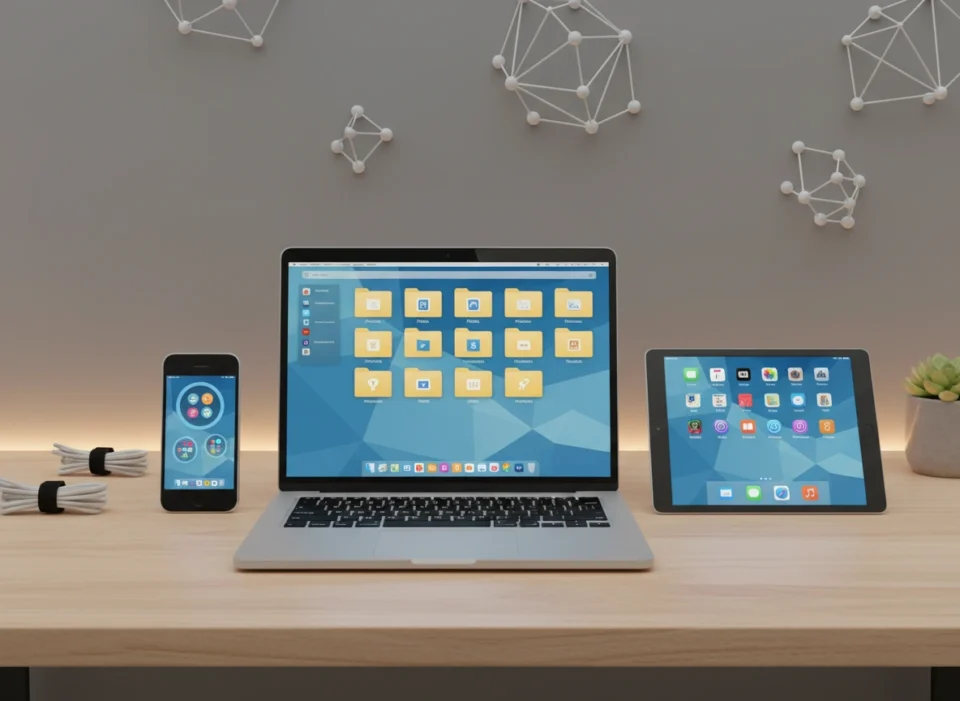
Your smartphone buzzes with a notification. You glance down, see three new emails, a calendar reminder for a meeting that started five minutes ago, and a “storage almost full” warning. If this sounds familiar, you aren’t alone. Our devices were designed to make life simpler, but for many, they have become sources of constant low-level anxiety. We hoard screenshots we’ll never look at again, subscribe to newsletters we never read, and let our desktop screens vanish beneath a sea of unlabeled file icons.
Digital clutter is invisible, but its weight is real. Unlike a messy room where you can physically trip over a pile of clothes, digital mess slows down your processor, drains your battery, and—most importantly—fragments your focus. It costs you time searching for that one critical PDF and money when you unknowingly pay for subscriptions you stopped using months ago.
This guide isn’t just about deleting old photos. It is about building a sustainable system that puts technology back in its rightful place: as a tool that serves you, not a master that distracts you.
Why Digital Organization Matters More Than You Think
Before we dive into the “how,” let’s clarify the “why.” You might think, “Who cares if I have 10,000 unread emails? It’s not hurting anyone.” But research suggests otherwise. The cognitive load of constantly filtering through irrelevant information depletes our mental energy.
A disorganized digital life leads to:
- Decreased Productivity: The average professional spends 20% of their workweek just looking for internal information or tracking down colleagues who can help with specific tasks.
- ** heightened Security Risks:** Old accounts you don’t monitor are prime targets for hackers. Keeping sensitive documents in disorganized, unencrypted folders increases vulnerability.
- Mental Fatigue: Constant notifications and visual clutter on your screens contribute to decision fatigue, making it harder to make important choices later in the day.
Regaining control of your digital environment is an investment in your mental clarity and professional efficiency.
Phase 1: The Great Detox
You cannot organize a mess; you must first reduce it. We will tackle this by category.
Taming the Email Beast
Inbox Zero might be an unrealistic myth for some, but “Inbox Control” is attainable for everyone.
- Mass Unsubscribe: Don’t manually unsubscribe one by one. Use a service like Unroll.Me or simply search “unsubscribe” in your inbox search bar. Spend 20 minutes going through the results and ruthlessly cutting ties with newsletters that don’t add value.
- The “One-Touch” Rule: When you open an email, make a decision immediately. You have four choices: Delete, Delegate, Do (if it takes less than 2 minutes), or Defer (move to a “To Do” folder). Never open an email and close it without action.
- Create Broad Folders: Avoid hyper-specific folders like “March 2023 Receipts.” Instead, use broad categories like “Taxes,” “Travel,” “Medical,” and “Projects.” Modern search functions are powerful enough to find specific dates or names within these buckets.
Cleaning Up Your Files and Desktop
Your computer desktop is a workspace, not a storage unit. When you turn on your computer, a cluttered screen immediately signals chaos to your brain.
- The “Downloads” Trap: The Downloads folder is the junk drawer of the digital world. Clear it out weekly. If you haven’t moved a file from Downloads to a permanent home within 7 days, delete it.
- Standardize Naming Conventions: Adopt a file naming system and stick to it. A solid format is
YYYY-MM-DD_Description_Version. For example:2024-12-25_BudgetReport_v2. This ensures files sort chronologically and are easy to search. - Cloud Storage Audits: Whether you use Google Drive, Dropbox, or OneDrive, apply the same hierarchy. Create a “Z_Archive” folder for old projects you can’t delete but don’t need active access to. The “Z” ensures it sits at the bottom of your list, out of sight but accessible.
Phase 2: Mastering Your Mobile Device
We interact with our phones more than any other device. A disorganized phone guarantees distraction.
App Audit and Organization
Take a hard look at your apps. If you haven’t used an app in three months, delete it. Most apps store your data in the cloud, so you can redownload them later if necessary without losing progress.
- The One-Screen Rule: Try to keep only your essential, daily-use tools on your home screen. Everything else should live in the App Library (iOS) or the App Drawer (Android).
- Color Coding vs. Function: Some people organize apps by color for aesthetic calmness. However, organizing by verb-based folders is often more practical. Try folders named “Learn,” “Listen,” “Watch,” “Travel,” and “Finance.”
- Turn Off Notifications: This is the single most effective change you can make. Go to settings and turn off notifications for everything except essential communication (texts, calls) and time-sensitive delivery apps. Your phone should not buzz because a game wants you to play or a shopping app is having a sale.
Photo Management
Photos consume the most storage and are the hardest to organize emotionally.
- Delete Duplicates: Use apps like Gemini Photos or cleanup tools built into your OS to find and remove screenshots, blurry photos, and duplicates.
- Enable Auto-Backup: Ensure Google Photos, iCloud, or Amazon Photos is backing up automatically.
- Favorite Immediately: Get in the habit of hitting the “heart” or “favorite” button on good photos immediately after taking them. When you want to show someone pictures, browse your “Favorites” album rather than scrolling through thousands of meaningless shots.
Phase 3: Security and Passwords
Digital organization includes organizing your security. If you are using “Password123” for every account, you are living dangerously.
The Password Manager Solution
Stop memorizing passwords. It is impossible to remember unique, complex passwords for 50+ accounts.
- Adopt a Password Manager: Tools like 1Password, LastPass, or Bitwarden generate and store complex passwords for you. You only need to remember one “Master Password.”
- Enable 2FA: Turn on Two-Factor Authentication for your email, banking, and social media. Using an authenticator app (like Google Authenticator or Authy) is more organized and secure than relying on SMS codes.
Phase 4: Maintenance – The Weekly Review
The biggest mistake people make is treating digital organization as a one-time event. It is a hygiene practice, like brushing your teeth. You need a maintenance routine.
Schedule a recurring 15-minute appointment with yourself every Friday afternoon for a “Digital Reset.”
The Weekly Checklist:
- Desktop Zero: clear all files off your desktop.
- Downloads Zero: empty the downloads folder.
- Empty Trash: permanently delete the digital trash.
- Update Software: run any pending updates to keep security tight.
- Review Calendar: look at the next week to ensure you are prepared for upcoming meetings.
Tools to Help You Stay Organized
While the system matters more than the tool, the right software can accelerate your organization.
- Notion or Evernote: For creating a “Second Brain.” Dump ideas, meeting notes, and web clippings here so you don’t have to hold them in your head.
- Todoist or Microsoft To Do: For task management. Stop writing to-do lists on sticky notes that get lost.
- Pocket or Instapaper: For “Read Later.” Stop keeping 50 browser tabs open with articles you want to read. Save them to Pocket and read them when you have downtime.
- Freedom or Forest: For focus. These apps block distracting websites and apps during deep work sessions.
Conclusion: Reclaiming Your Mental Space
Organizing your digital life is not about achieving perfection; it is about reducing friction. Every minute you spend searching for a file is a minute stolen from meaningful work or relaxation. Every useless notification is a fracture in your attention span.
By implementing these structures—clearing the clutter, standardizing your systems, securing your data, and committing to weekly maintenance—you transform your devices from sources of stress into powerful engines of productivity. Start small. Tackle your desktop today, your email tomorrow. The clarity you gain will be worth every second of effort.
Please visit this website for more info
