Educators and trainers constantly seek reliable methods to keep learners engaged. Traditional lectures often fall flat, leaving students distracted and trainers frustrated. Gamified learning platforms have stepped in to bridge this gap, transforming passive listeners into active participants. At the center of this transformation sits a simple yet powerful tool: the game code.
If you want to understand how interactive assessments function smoothly, you must look at the mechanics behind access. This article explains what Quizizz join codes are, how they function, and their significance in education and corporate training. You will also learn practical ways to implement them and the specific benefits they offer to both hosts and participants.
What Are Quizizz Join Codes?
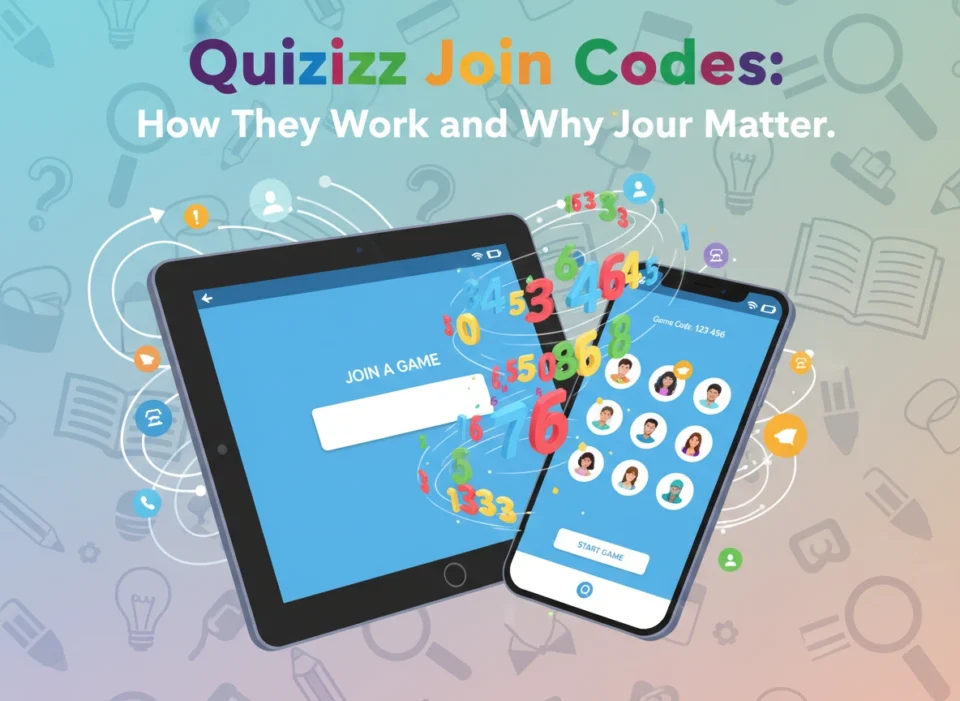
A Quizizz join code is a unique, randomly generated numeric sequence that connects a participant’s device to a specific live or assigned activity. Think of it as a digital key. When an educator or trainer creates a quiz, lesson, or interactive presentation on the platform, the system automatically generates this code.
Participants do not need to navigate complex menus or register for extensive accounts to participate. Instead, they simply enter the sequence to access the exact assessment their instructor prepared. This streamlined entry method removes technical barriers, ensuring that the focus remains on learning rather than troubleshooting login issues.
For those looking to explore how to initiate this process, utilizing a quizizz join link provides direct access to the portal where participants enter their unique sequence. This simple gateway is the foundation of the platform’s user-friendly approach.
How Do Quizizz Join Codes Work?
The mechanics of these codes are straightforward, dividing the experience into two distinct pathways: one for the host and one for the participant.
For Educators and Hosts
When an instructor finishes designing an assessment, they choose how they want to deliver it. They can launch a live session, where all participants answer questions simultaneously, or assign it as homework for asynchronous learning.
Upon selecting the delivery method, the platform generates a unique multi-digit code. The host then shares this code with their audience. They can project it on a screen at the front of a classroom, send it via email, or embed it directly into a learning management system (LMS) like Google Classroom or Canvas. The host interface allows the instructor to see exactly who has joined the lobby in real time before officially starting the activity.
For Students and Participants
The participant experience requires almost zero technical expertise. A student simply opens a web browser or the mobile application and navigates to the join page. They type in the numeric sequence provided by their instructor, enter their name or a designated nickname, and wait in the digital lobby.
Once the host initiates the session, the participant’s device instantly synchronizes with the presentation. The questions appear directly on their screen, allowing them to answer at their own pace or follow along with the instructor-led pacing, depending on the chosen settings.
The Significance of Join Codes in Learning Environments
The simplicity of a numeric access key might seem trivial, but it fundamentally shifts how organizations and schools manage group activities.
Traditional Classrooms
In a standard K-12 environment, time is a precious resource. Teachers cannot afford to waste ten minutes helping thirty students log into a complicated software system. Join codes eliminate this friction. A teacher writes the sequence on the whiteboard, and within seconds, every student connects their Chromebook or tablet to the lesson. This rapid deployment keeps the momentum of the class going and minimizes behavioral disruptions that often occur during downtime.
Corporate Training Sessions
Corporate trainers face different, yet equally challenging, hurdles. Adult learners often resist new software platforms, especially during mandatory compliance training or professional development workshops. By utilizing a simple code, trainers bypass the need for lengthy onboarding processes. Employees can use their smartphones to join a quick mid-presentation poll or a concluding knowledge check. This immediate interactivity keeps adults engaged and provides trainers with instant feedback on whether the participants grasp the material.
Remote and Asynchronous Learning
When educational institutions and businesses shifted to remote models, the need for asynchronous assessment tools skyrocketed. Join codes adapt perfectly to this environment. Instructors generate a code with a specific expiration date and email it to their remote learners. Participants can enter the code and complete the module on their own schedule, from any location. The host still receives all the data and analytics, even though the participants never gathered in the same room.
Key Benefits for Educators and Learners
The implementation of this access method provides several distinct advantages that improve the overall educational experience.
Seamless Access and Immediate Engagement
The primary benefit remains the sheer speed of access. Lowering the barrier to entry means higher participation rates. When students or employees realize they only need to type six digits to join a game, their resistance drops. The gamified nature of the platform, combined with instant access, turns routine assessments into exciting competitions. Learners see their scores update in real time, which motivates them to pay closer attention to the material.
Data Privacy and Security
In educational technology, student privacy is a critical concern. Schools must comply with strict regulations regarding the collection and storage of student data. Join codes offer a layer of anonymity and security. Because participants can access a quiz without creating a permanent account or providing personal email addresses, schools minimize their data exposure. Instructors can require students to use their real first names for grading purposes, but the system does not force learners to surrender sensitive personal information just to take a quiz.
Detailed Analytics and Progress Tracking
While the entry method is simple, the data collected behind the scenes is robust. As soon as a participant enters a code and begins answering questions, the system tracks their performance. Instructors receive a detailed dashboard showing which questions participants answered correctly, how long they took, and where the class struggled as a whole.
This immediate feedback loop allows educators to adjust their instruction on the fly. If the data shows that 80% of the class missed a specific question, the teacher can pause the game and reteach that concept immediately. This targeted intervention is much more effective than grading paper tests days later and trying to review old material.
Best Practices for Managing Join Codes
To maximize the effectiveness of these interactive sessions, hosts should follow a few proven strategies.
First, always clearly display the code. If presenting live, make sure the sequence is written in large, bold numbers on the main screen. If sending it digitally, hyperlink the code directly to the join portal to save participants an extra step.
Second, manage your digital lobby. Monitor the names as participants enter. Most platforms allow hosts to kick out inappropriate nicknames before the game begins. Establishing clear rules about naming conventions saves time and maintains a professional or appropriate classroom environment.
Finally, utilize the integration features. If your organization uses an LMS, connect the platform directly to it. This allows the system to auto-generate unique links for each student, bypassing the need for manual code entry entirely while still securely routing the grading data back to your primary gradebook.
Conclusion
Quizizz join codes represent a perfect blend of simplicity and functionality. By requiring nothing more than a short numeric sequence, they remove technical barriers and invite immediate participation. Whether you manage a classroom of restless middle schoolers or a boardroom of busy professionals, these codes help you deliver engaging, gamified content seamlessly.
As educational technology continues to evolve, tools that prioritize user experience and quick access will remain essential. Start incorporating these quick-join assessments into your next lesson or presentation, and observe the immediate increase in audience engagement and knowledge retention. Use the real-time data to refine your teaching strategies, and watch your learners thrive.
